
A 1 TB Seagate Backup Plus Portable came in after a fall from a kitchen table straight onto a tiled floor. Plugged back into the laptop, it clicked, and the computer kept making the sounds of a drive being unplugged and reconnected over and over.
The customer did the right thing next: they stopped powering it up and sent it to a lab.


On the bench
The Backup Plus name covers more than one drive, so the first job is finding out what is actually inside the casing. We half expected a Seagate Rosewood. It wasn’t: this one held a Samsung Spinpoint ST1000LM024 (HN-M101MBB/AV2, part number 1K9AP3-500), from Samsung’s M8E family. That was good news. The M8E is a well-engineered, robust design, and it improves the odds after a knock like this one.
Clicking after a drop points at the heads, so the drive went into the cleanroom to see what the fall had done.
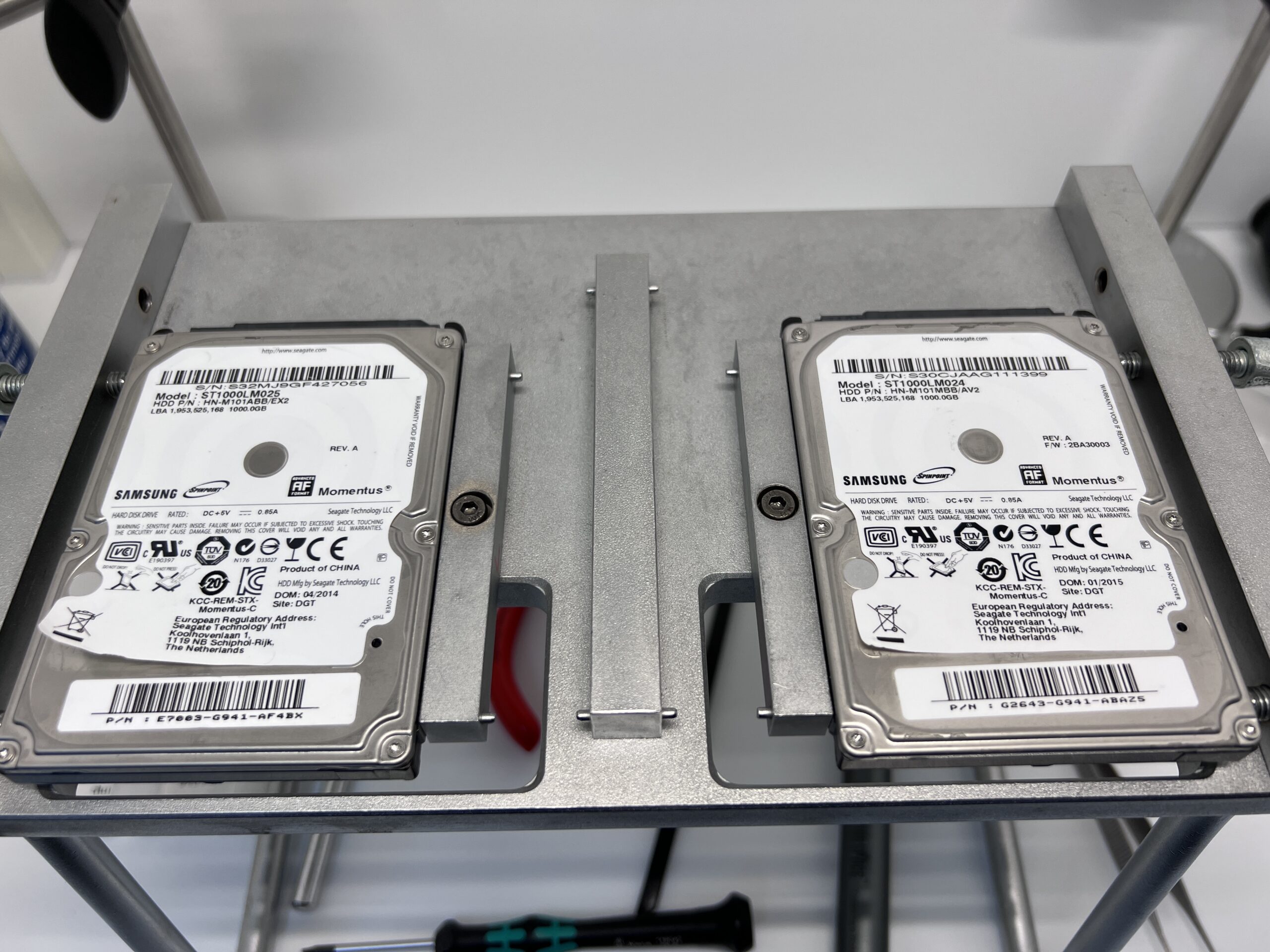


The visible platter surfaces showed no damage that justified stripping the drive down fully. So we went straight to the likely fault and fitted a new head stack assembly.


With the new heads in, the drive was powered up on PC-3000 Express. It needed only a few firmware adjustments to stabilise, and then imaging could start.


What came back
An excellent result: the drive imaged, and 100% of the customer’s data was recovered.
Seagate Backup Plus Portable 1 TB · Samsung Spinpoint ST1000LM024 (HN-M101MBB/AV2, M8E family) · dropped, clicking · cleanroom head-stack replacement, firmware stabilised, PC-3000 Express
Which hard drive is inside a 1TB Seagate Backup Plus Portable?
It varies. Some 1 TB Backup Plus drives carry a Samsung-designed M8E disk such as the ST1000LM024; others carry Seagate’s own Rosewood family. The casing looks the same either way, which is why we identify the drive inside before planning the work. The two families behave differently after a fault and need different handling.
I dropped my portable drive and it clicks. Should I keep trying it?
No. Try it once at most, and if it clicks, beeps or keeps connecting and disconnecting, unplug it and leave it. A drop can damage the heads, and every power-up with damaged heads risks them scraping the platters, which is where the data actually lives. A drive that is switched off promptly after the fall is far more likely to come back.